
See who is working right now
Live keyboard, mouse and idle signals for the whole floor. Know in seconds who is heads-down, on break, or missing.
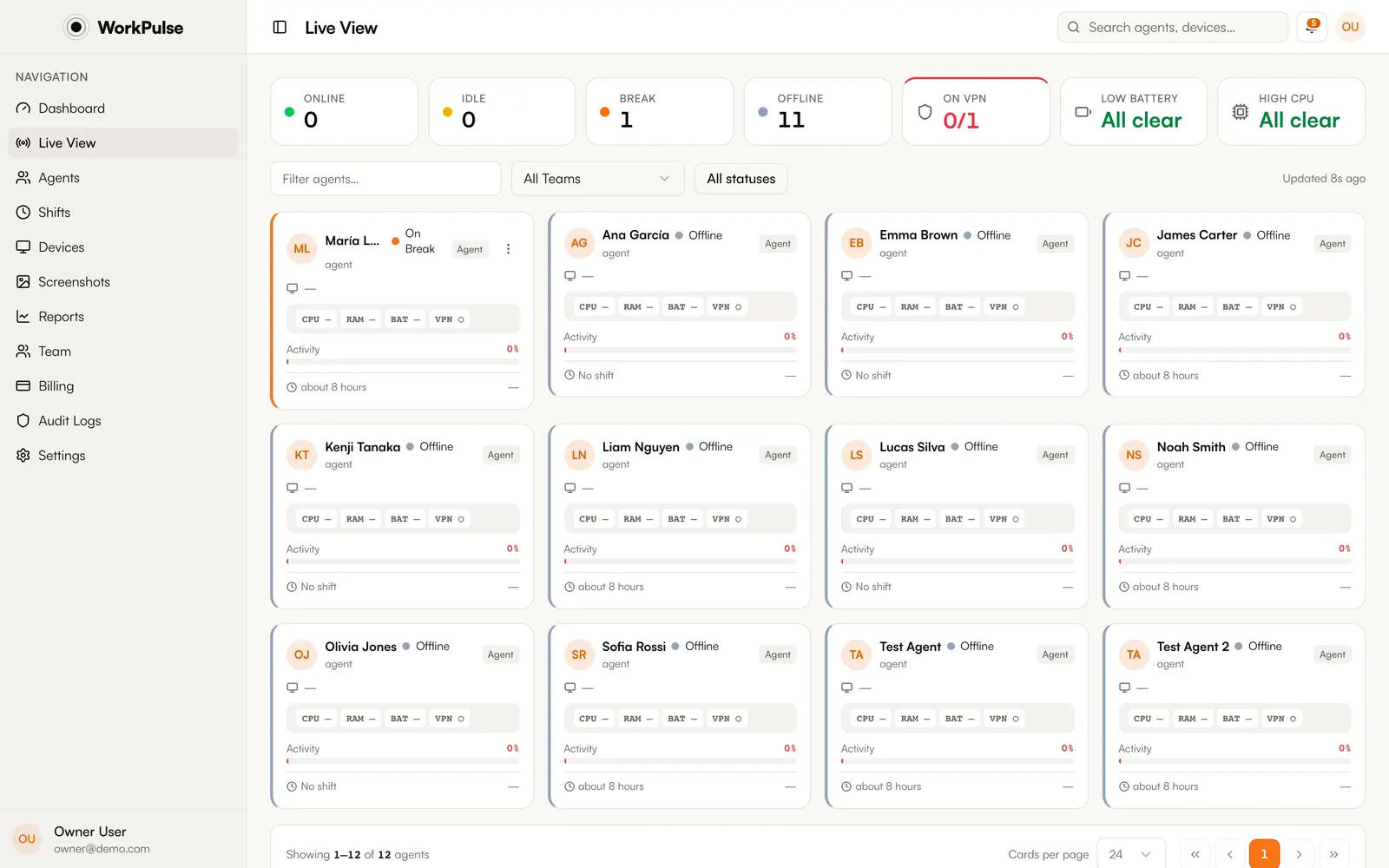
Live activity, automatic screenshots, session replay and shift & break tracking in one supervisor dashboard. Sensitive screens are blurred on the agent's machine, before anything leaves it.
No credit card. Pay only for seats with 24+ tracked hours a month.
Monitoring without the creep factor
Passwords, banking and HR portals are blurred on the agent's own machine, so the raw pixels never reach our servers. Activity is tracked only during checked-in shifts, and agents get a consent screen and a live status window by default.

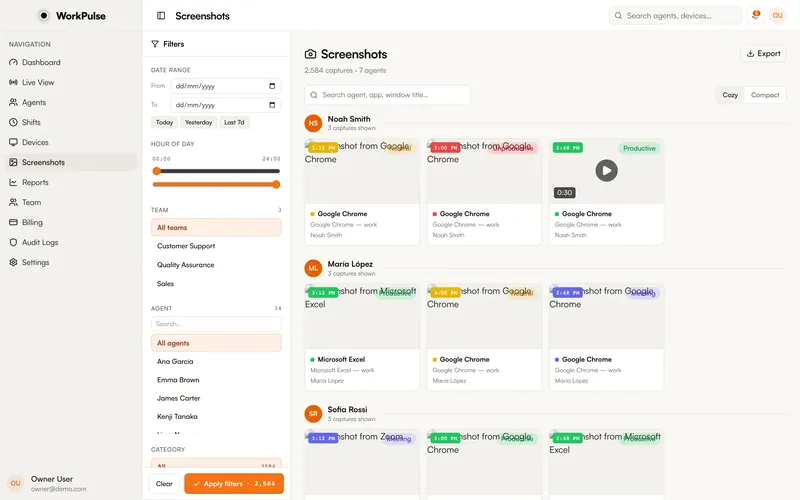 Banking site · blurred on-device
 One plan · everything included
No tiers, no per-feature add-ons. The seventh feature costs the same as the first.
Live keyboard, mouse and idle signals for the whole floor. Know in seconds who is heads-down, on break, or missing.
Multi-monitor captures at your interval. Idle screens are skipped automatically.
Scrub a full day of activity like a video, minute by minute.
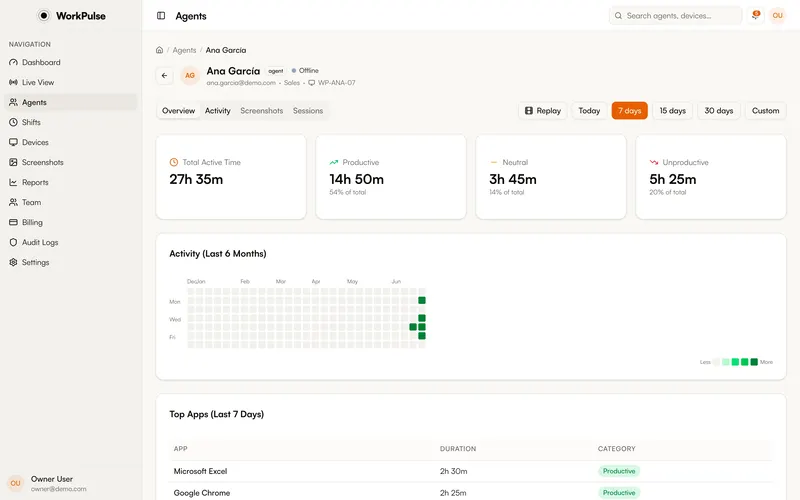 14:32 · Zendesk · active
 Tray check-in, auto-break on idle, break policy enforced softly.
Tag apps once. See which hours the floor actually works, per agent or per team.
Screenshots, app tracking, recording and visibility: switch each one on or off for your organization.
On from day one, for every customer.
Get the agent
Installers are not code-signed yet. On a Mac, open it from System Settings, Privacy & Security, Open Anyway. On Windows, choose More info, then Run anyway.
Free, no credit card. Invite supervisors and set up teams.
Download it here or from your dashboard, or push silently to the fleet with your MDM.
Agents check in from the tray. Status, screenshots and reports start flowing.
Pricing
Register unlimited agents for free. At month end, only seats with 24+ tracked hours are billed. New hires in training, attrition and the seasonal bench cost nothing.
40 of 50 agents crossed 24 tracked hours this month
Typical stack
50 users × $23, every seat billed
$1,150
WorkPulse
40 active seats × $7
$280
You keep, every month
−76% $870
160 of 200 agents crossed 24 tracked hours this month
Typical stack
200 users × $23, every seat billed
$4,600
WorkPulse
160 active seats × $7
$1,120
You keep, every month
−76% $3,480
400 of 500 agents crossed 24 tracked hours this month
Typical stack
500 users × $23, every seat billed
$11,500
WorkPulse
400 active seats × $7
$2,800
You keep, every month
−76% $8,700
WorkPulse is agent monitoring software built for call centers and BPOs. A lightweight desktop agent tracks activity levels, apps and URLs, screenshots, and shift check-ins during working hours; supervisors watch it all live in a browser dashboard. Every feature is included at $7 per active seat per month. An active seat is any agent with 24 or more tracked hours in a billing month.
The desktop agent runs on macOS (Apple silicon) and Windows 10/11. The supervisor dashboard works in any modern browser: Chrome, Firefox, Safari, Edge.
Every byte is encrypted: AES-256 at rest, TLS 1.2+ in transit. Screenshots live in private S3-compatible storage. Local agent data is encrypted with keys stored in the OS keychain (macOS Keychain, Windows Credential Manager), so even a stolen laptop leaks nothing.
By default, yes. WorkPulse includes a first-run onboarding wizard, a consent screen, and a live status window. If your org policy allows, you can enable silent mode for invisible monitoring.
Yes. Screenshots, screen recording, webcam snapshots and silent mode are independent switches, set once for your organization. Break limits can also differ per team. Turn on only what your compliance policy allows.
$7 per active seat per month. An active seat is an agent or computer that tracks 24 or more hours of activity in a billing month. Register as many agents as you want; you only get billed for the ones that actually work. Every feature is included from day one. See the pricing page for the full breakdown.
No. WorkPulse is fully cloud-hosted. Install the desktop agent, open the dashboard in your browser, and you are up and running.
The agent keeps tracking locally with an encrypted offline queue. The moment connectivity returns, everything syncs. Zero data loss, zero manual intervention.
Create your account for free, no credit card required. Install the agent on your team's computers. At the end of the month, you only pay for agents that exceeded 24 hours. If nobody hits that threshold, you pay nothing.
Set up in under 5 minutes. Pay only for the seats that actually work.
Create Free AccountNo credit card required · Cancel anytime · Uninstall in one click