Feature · Automatic screenshots
Screenshots that take themselves, and blur what they should.
Multi-monitor captures at your interval, skipped when the screen is idle, with sensitive apps and sites blurred on the device before anything is uploaded.
- blur before upload
- On-device
- idle frames stored
- 0
- encrypted at rest
- AES-256

 Banking site · blurred on-device
 In one paragraph
What automatic screenshots is, in one quotable answer.
WorkPulse takes automatic screenshots of every monitor at a configurable interval, classifies each capture by the application and productivity category in the foreground, and stores it encrypted in private object storage. Sensitive content (password managers, banking sites, and any apps you designate) is blurred on the agent's device before upload, so unredacted sensitive pixels never leave the machine.
How it works
How does WorkPulse handle automatic screenshots?
-
Set your interval and policy
Choose how often captures happen and at what resolution. The policy applies across your organization, and every agent sees the same rules.
-
The agent captures and redacts on-device
All monitors are captured together. Idle screens are skipped to avoid storing useless frames, and the built-in blur list (plus your custom rules) redacts sensitive apps and sites locally before upload.
-
Review, filter, and export
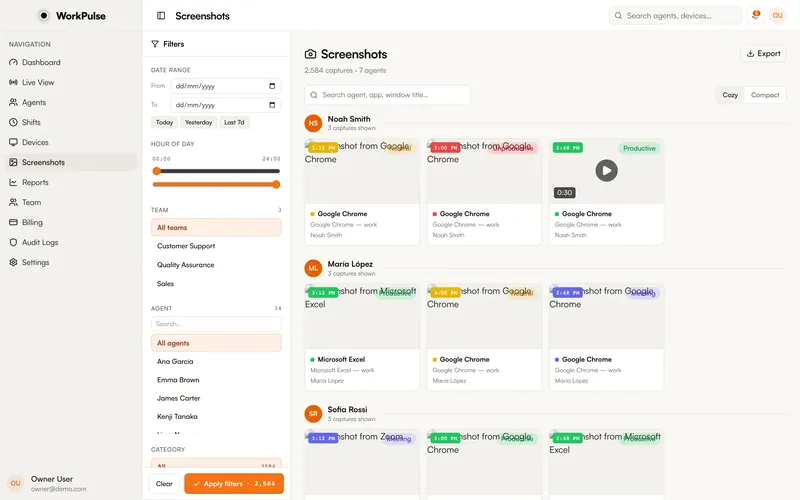
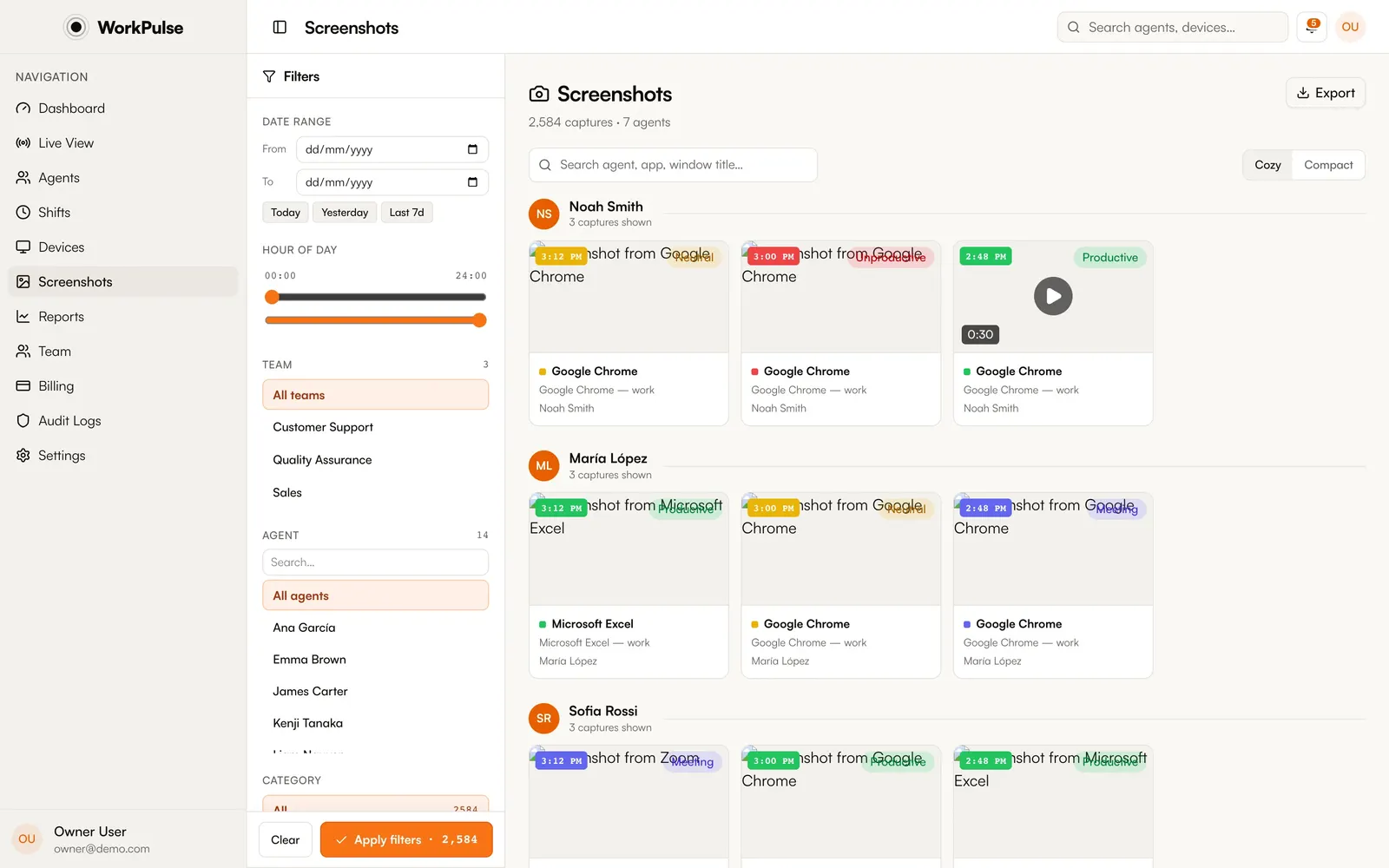
The dashboard organizes captures by agent, time, application, and productivity class. Jump from a screenshot to that agent's timeline, or export what you need for QA and disputes.
In the product
This is the real screenshot gallery, not a mockup.
The details
The details that matter.
-
Multi-monitor, one capture
Agents with two or three displays are captured across all of them simultaneously, so context is never split or lost.
-
On-device privacy blur
Redaction happens on the agent's machine, not on the server. Password managers and banking are blurred out of the box; you can add your own apps and domains to the blur list.
-
Idle-aware
No input for a while means no captures. You don't pay storage for screensavers, and reviewers don't wade through identical frames.
-
Encrypted, private storage
Captures are stored in private S3-compatible object storage with AES-256 encryption at rest, served only to authorized dashboard roles, and kept for 90 days by default (extendable).
Can employees see their own screenshots?
In visible mode, agents know monitoring is on via the consent screen and status window. Access to captured screenshots in the dashboard is role-based; you decide which roles can view them.
How does the auto-blur work?
The agent keeps a list of sensitive apps and sites. Password managers and banking are included by default, and you can add your own. When one is in the foreground, the capture is blurred on the device before it is uploaded.
How long are screenshots kept?
90 days by default, extendable to 6 months or a full year at no extra cost. Retention is included in the plan, not sold as an add-on. Need longer than a year? Talk to us.
Can I turn screenshots off entirely?
Yes. Screenshot capture is a single switch for your organization, along with its interval and resolution. Turn it off and no agent is captured.
Keep exploring
Related capabilities.
-
Privacy controls
Visible by default, redaction on the device, and every capture switch in your hands.
-
Session replay
Continuous screen recording assembled into a day you can scrub, with app context alongside.
-
Live monitoring
Every agent's status, live: active, idle, on break, or offline, with nothing to refresh.
Run a tighter floor, remote or not.
Set up in under 5 minutes. Pay only for the seats that actually work.
Create Free AccountNo credit card required · Cancel anytime · Uninstall in one click