Feature · App & URL tracking
Know where the shift hours actually go.
Every app opened and every site visited, captured automatically and classified by productivity: per agent, per team, per shift.
- not just "Chrome"
- Real URLs
- browser extensions
- 0
- pre-classified catalog
- Day 1
In one paragraph
What app & URL tracking is, in one quotable answer.
WorkPulse app and URL tracking records which application is in the foreground and which website is open, including full URL capture from Chrome, Arc, Edge, and Safari, and classifies each one as productive, unproductive, or neutral using rules you control. The result is an accurate map of where working hours go, aggregated per agent, team, day, week, or shift.
How it works
How does WorkPulse handle app & url tracking?
-
Install and forget
The desktop agent detects the foreground app and browser URL automatically. There are no browser extensions to deploy or keep updated.
-
Classify with your rules
WorkPulse ships with a curated catalog of common apps and sites already classified. Tag anything else as productive, unproductive, or neutral; rules apply across your whole organization.
-
Read the breakdowns
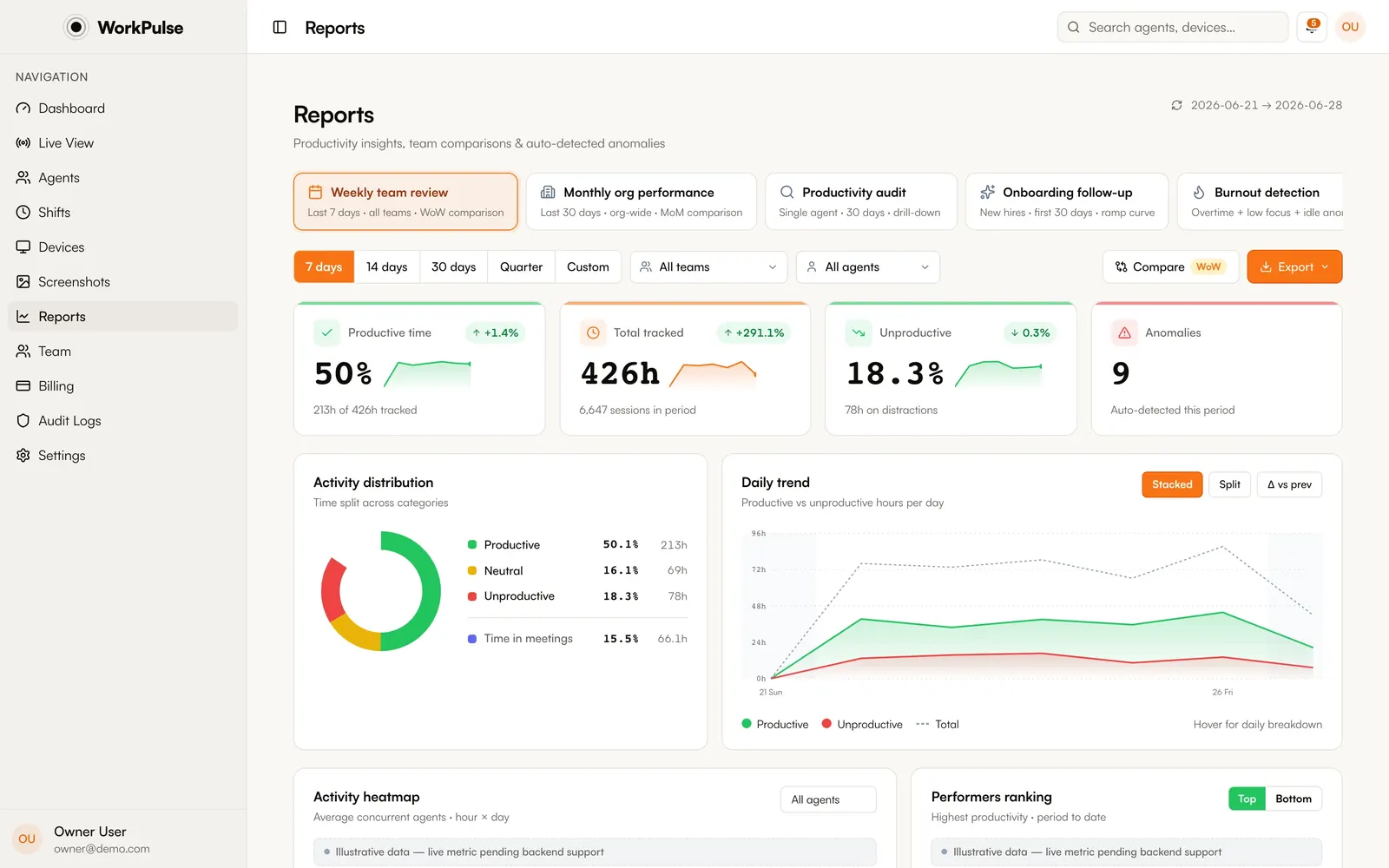
Top apps and sites per agent and per team, time-in-app totals, and productivity trends over any range. Unclassified apps surface automatically so your catalog stays complete.
In the product
This is the real reports page, not a mockup.
The details
The details that matter.
-
Real URLs, not just "Chrome"
Browser tracking captures the actual site. Knowing an agent was in "the browser" is useless; knowing they were in your CRM versus YouTube is the whole point.
-
Curated catalog included
Hundreds of common business apps, meeting tools, and distraction sites come pre-classified, so reports are meaningful on day one.
-
Distraction alerts
Unproductive app usage beyond your thresholds triggers supervisor notifications automatically. No report-checking ritual required.
-
Feeds everything else
App and URL data powers productivity scoring, screenshot classification, and session-replay context. One capture, used everywhere.
Which browsers are supported for URL capture?
Chrome, Arc, Edge, and Safari on macOS; Chrome, Edge, and Firefox on Windows. App-level tracking works for every application regardless of browser support.
Do I need to install browser extensions?
No. URL capture happens through the desktop agent itself; there is nothing to deploy inside the browser and nothing users can silently disable.
Can the same app be productive for one team and not another?
Not today. Classification rules apply to the whole organization, so an app is productive, unproductive or neutral for everyone. Reports still break the results down per team.
What happens with apps you have never seen?
They appear in an unclassified list with usage hours, so you can classify the ones that matter and ignore the noise.
Keep exploring
Related capabilities.
-
Productivity scoring
Scores computed from real app and site usage against your own rules.
-
Live monitoring
Every agent's status, live: active, idle, on break, or offline, with nothing to refresh.
-
Session replay
Continuous screen recording assembled into a day you can scrub, with app context alongside.
Run a tighter floor, remote or not.
Set up in under 5 minutes. Pay only for the seats that actually work.
Create Free AccountNo credit card required · Cancel anytime · Uninstall in one click