Feature · Productivity scoring
Productivity you can defend with data.
Scores computed from real app and site usage against your own rules. Not vibes, not self-reported timesheets.
- define productive
- Your rules
- activity heatmap
- Hourly
- or weekly email reports
- Daily
In one paragraph
What productivity scoring is, in one quotable answer.
WorkPulse productivity scoring turns raw activity into an objective score per agent and per team: time in apps and sites you classified as productive, divided by total tracked time, computed per day, week, or shift. Scores feed dashboards, trend charts, activity heatmaps, automatic anomaly detection, and scheduled email reports, so performance conversations start from shared data.
How it works
How does WorkPulse handle productivity scoring?
-
Define what productive means for you
Classify apps and sites as productive, unproductive, or neutral. A curated pre-classified catalog covers the common cases; your rules cover the rest.
-
Scores compute automatically
Every tracked hour is scored against your rules. No timesheets, no self-reporting, no manual tagging of time entries.
-
Review trends, not snapshots
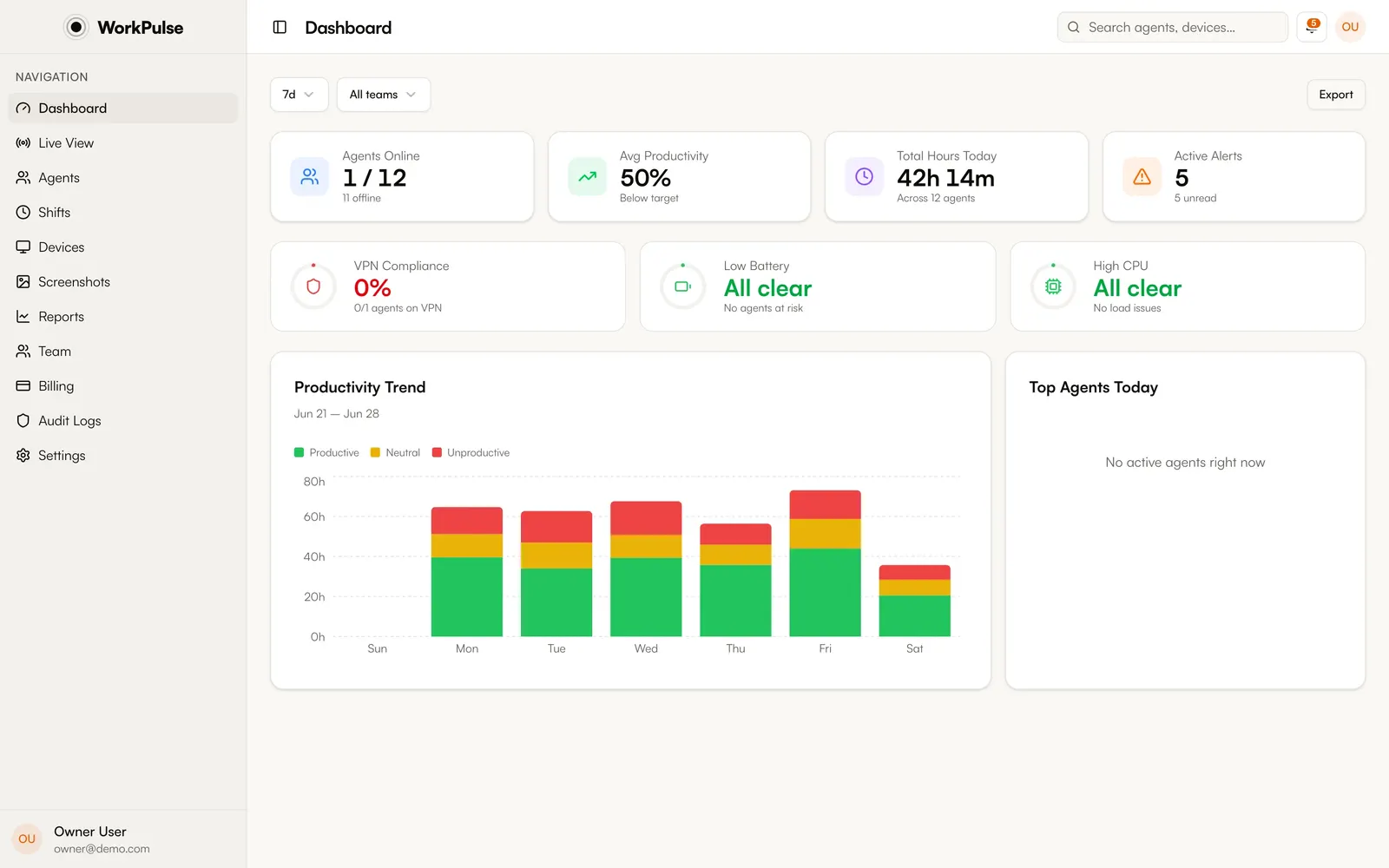
Per-agent and per-team trends over any range, activity heatmaps by hour, top-agent rankings, and anomaly alerts when someone's pattern breaks from their baseline.
In the product
This is the real dashboard, not a mockup.
The details
The details that matter.
-
Shift-aware
Scores can be cut by shift, not just calendar day, so night-shift teams are compared against their own hours, not someone else's.
-
Anomaly detection built in
WorkPulse learns each agent's baseline and notifies supervisors when a day deviates sharply: idle spikes, unusual app mixes, missing check-ins.
-
Scheduled reports by email
Daily or weekly summaries land in supervisors' inboxes automatically, with the same numbers the dashboard shows.
-
Fair by construction
Because scoring derives from your own classification rules, the definition of "productive" is explicit, auditable, and consistent across every agent.
How is the productivity score calculated?
Time spent in apps and sites classified as productive, divided by total tracked time in the period, per agent. Neutral time is excluded from the ratio, so short breaks and internal tools don't distort the score.
Can I compare teams?
Yes. Reports include team-level aggregates and comparisons, top-agent rankings over any date range, and week-over-week trends.
Does a low score automatically mean a bad agent?
No. It means the data is worth a look. Scores are a starting point for a conversation backed by the underlying timeline, screenshots, and app breakdowns, not a verdict.
Can reports arrive by email?
Yes. Scheduled reports send daily or weekly summaries to the recipients you choose.
Keep exploring
Related capabilities.
-
App & URL tracking
Every app and site, captured and classified, so you know where the shift hours actually go.
-
Shifts & breaks
Check-in from the tray, automatic breaks on idle, and break policies that enforce themselves.
-
Live monitoring
Every agent's status, live: active, idle, on break, or offline, with nothing to refresh.
Run a tighter floor, remote or not.
Set up in under 5 minutes. Pay only for the seats that actually work.
Create Free AccountNo credit card required · Cancel anytime · Uninstall in one click