Feature · Live monitoring
The whole floor, live, in one screen.
Real-time keyboard, mouse, and app activity for every agent. Know who is heads-down, idle, on break, or missing, without walking the floor or pinging anyone.
- to reflect a change
- Seconds
- refresh buttons
- 0
- live states
- 5
In one paragraph
What live monitoring is, in one quotable answer.
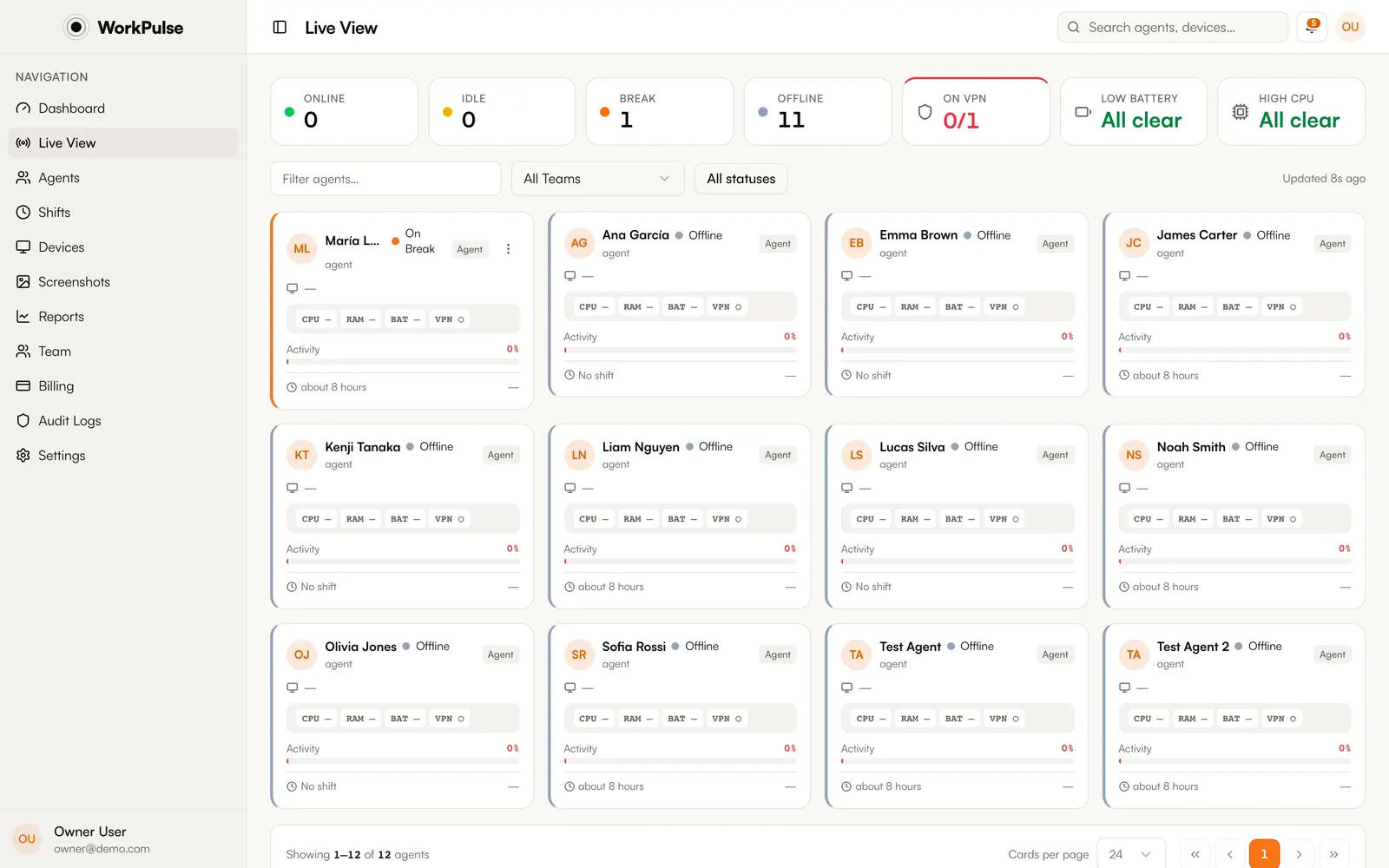
WorkPulse live monitoring shows supervisors the real-time status of every agent on the team: active, idle, on break, on shift, or offline. Status is derived from actual keyboard, mouse, and application activity captured by a lightweight desktop agent, so the dashboard reflects the floor within seconds, with no manual refresh.
How it works
How does WorkPulse handle live monitoring?
-
Agents check in from the tray
Each agent starts their shift from the WorkPulse tray icon. From that moment the agent app measures keyboard and mouse activity, the active application, and idle time.
-
Activity reaches your dashboard
Activity is sent continuously over an encrypted connection. Status changes appear in the Live view within seconds.
-
You act on what you see
Sort by status, filter by team, and drill into any agent for their activity timeline, current app, and device health. Unusual idle spikes notify supervisors automatically.
In the product
This is the real Live view, not a mockup.
The details
The details that matter.
-
True activity, not just "logged in"
Status comes from real input and app signals, not from whether the machine is on. An agent whose computer is on but untouched shows as idle or on-machine-without-check-in ("pulse"), never as working.
-
Changes show up as they happen
When an agent goes idle or starts a break, you see it within seconds. Nothing to refresh, and no lag between the floor and your screen.
-
Device health included
Each agent's device page shows live CPU, memory, battery, and disk readings, so you can tell a slow agent from a slow machine.
-
Works offline
If an agent loses connectivity, tracking continues locally in an encrypted queue and syncs on reconnect. No data loss during outages.
How fast does the live view update?
Within seconds. Status changes appear on the dashboard as they happen, with nothing to refresh.
What counts as "idle"?
No keyboard or mouse input for the idle threshold you configure. When an agent goes idle mid-shift, WorkPulse can automatically switch them to break status so shift totals stay accurate.
Can I see activity history, not just live status?
Yes. Every agent has a per-day activity heatmap, session timeline, and top-apps breakdown, and the reports section aggregates trends by team, day, week, or shift.
Does live monitoring work for hybrid or office teams?
Yes. The agent tracks the same way on any macOS or Windows machine regardless of where it sits: home, office, or a mixed floor.
Keep exploring
Related capabilities.
-
Shifts & breaks
Check-in from the tray, automatic breaks on idle, and break policies that enforce themselves.
-
Automatic screenshots
Multi-monitor captures at your interval, with sensitive apps blurred on the device before upload.
-
Productivity scoring
Scores computed from real app and site usage against your own rules.
Run a tighter floor, remote or not.
Set up in under 5 minutes. Pay only for the seats that actually work.
Create Free AccountNo credit card required · Cancel anytime · Uninstall in one click